
Runs and approvals
Start an agent run, follow it, answer its questions, handle approvals, and stop or retry it.
A run is one execution of an agent. You can follow it live, step in when the agent needs you, and review it afterwards.
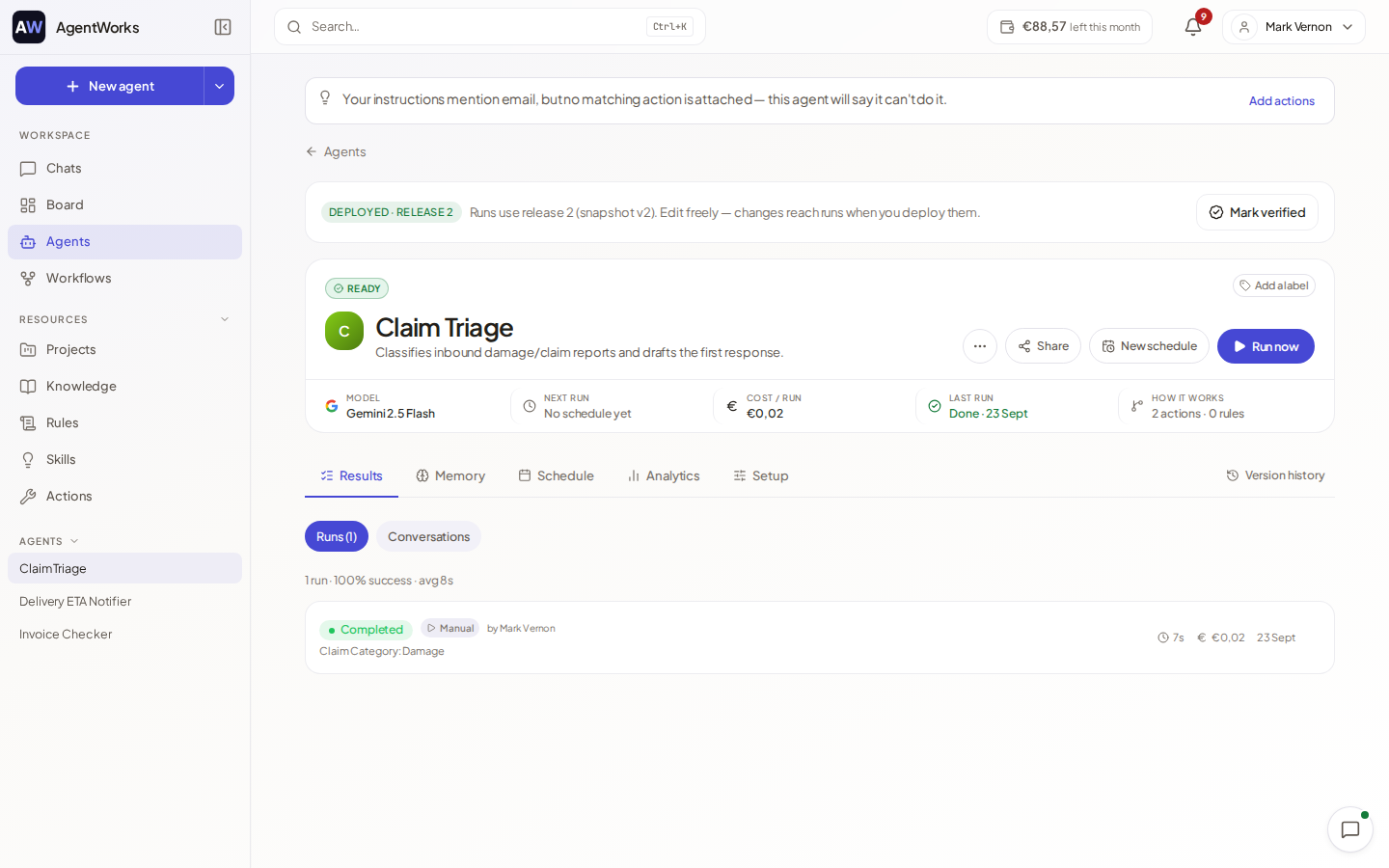
Start a run
You can start an agent in several ways:
- On the agent's page, choose Run now. If the agent has input fields, a dialog asks for them first.
- From a chat, type
/and pick the agent on the Agents tab, or use Start agent or task in the paperclip menu. - On a schedule or from a webhook.
- By assigning it a task on the board.
Run now is disabled while the agent is a draft ("Deploy the agent first") or switched off. If an app the agent needs is not connected, a notice lists it. You can still start the run; the agent skips those actions.
Follow a run
A run opens as a thread that shows each step: gathering context, running actions, writing the answer. Choose Show details on a step to see more. While a run is working you can choose Run in background and carry on elsewhere; a small run indicator at the bottom right of the screen keeps showing it.
The Results tab of the agent lists all runs. Each shows a status:
| Status | Meaning |
|---|---|
| Queued | Waiting for a free slot. |
| Running | Working now. |
| Waiting for you / Waiting for your input | The agent needs an answer or an approval. |
| Completed | Finished. |
| Ended with a question | The agent finished by asking you something instead of doing the task. |
| Could not complete | The agent said it could not do the task and took no action. |
| Failed | Something went wrong. |
| Stopped | A person stopped it. |
The list also shows how each run was started (in chat, scheduled, from the board, via API or Manual), who started it and what it cost.
Answer questions
If the agent needs information it does not have, the run pauses and shows The agent asked you a question. Type your answer under Your answer and choose Submit answer. The run continues. You are also notified.
Approvals
When an action set to Ask first is reached, the run pauses with a card named Human approval. It lists the action and its parameters. Choose Approve to continue, or Deny, optionally with a note under Why? (optional); the agent reads your note.
- If the agent has named approvers, only they can decide. Otherwise anyone with access to the agent can.
- Some agents need more than one approver. After your approval the card says that the run still waits for another approver.
See Actions and connections to choose which actions ask first.
Stop, pause and retry
- Pause and Resume hold and continue a run.
- Stop ends it. Choose Stop and confirm: the agent stops immediately, what it already finished is kept and the costs made so far stay charged.
- To try again after a failure or a question, open the run and choose Run again, or start a new run with more details.
- If a retry is set on a schedule, the run is retried automatically.
- Hide from history removes a run from the list and the run counts. Its costs and records are kept.
- Copy run link and Open as page help you share or revisit a run.