
Agents overview
Understand what an agent is, how it differs from a chat, and when to build one.
An agent is a saved assistant for one job. It has its own instructions, a model, the actions it may use and the knowledge it can search. You can run it whenever you like, start it from a chat, run it on a Schedule or trigger it from another system.
Chat or agent?
| Use a chat when | Use an agent when |
|---|---|
| You are exploring or doing a one-off task. | The same job comes back regularly. |
| You want to steer step by step. | You want the same method every time. |
| Only you need the result. | Colleagues should be able to use it, or it should run without you. |
A good sign that you need an agent: you keep pasting the same instructions into a new chat.
What an agent consists of
- Instructions that describe the job, tone and method.
- A model, with an optional fallback model that is used if the primary one is unavailable.
- Actions: what it can do in connected apps, and built-in capabilities such as web search. See Actions and connections.
- Knowledge, skills and rules that it reads on every run. See Knowledge and memory.
- Optional run inputs: fields people fill in before a run, such as a customer name.
- Optional conversation starters that show when someone opens a chat with the agent.
The agent page
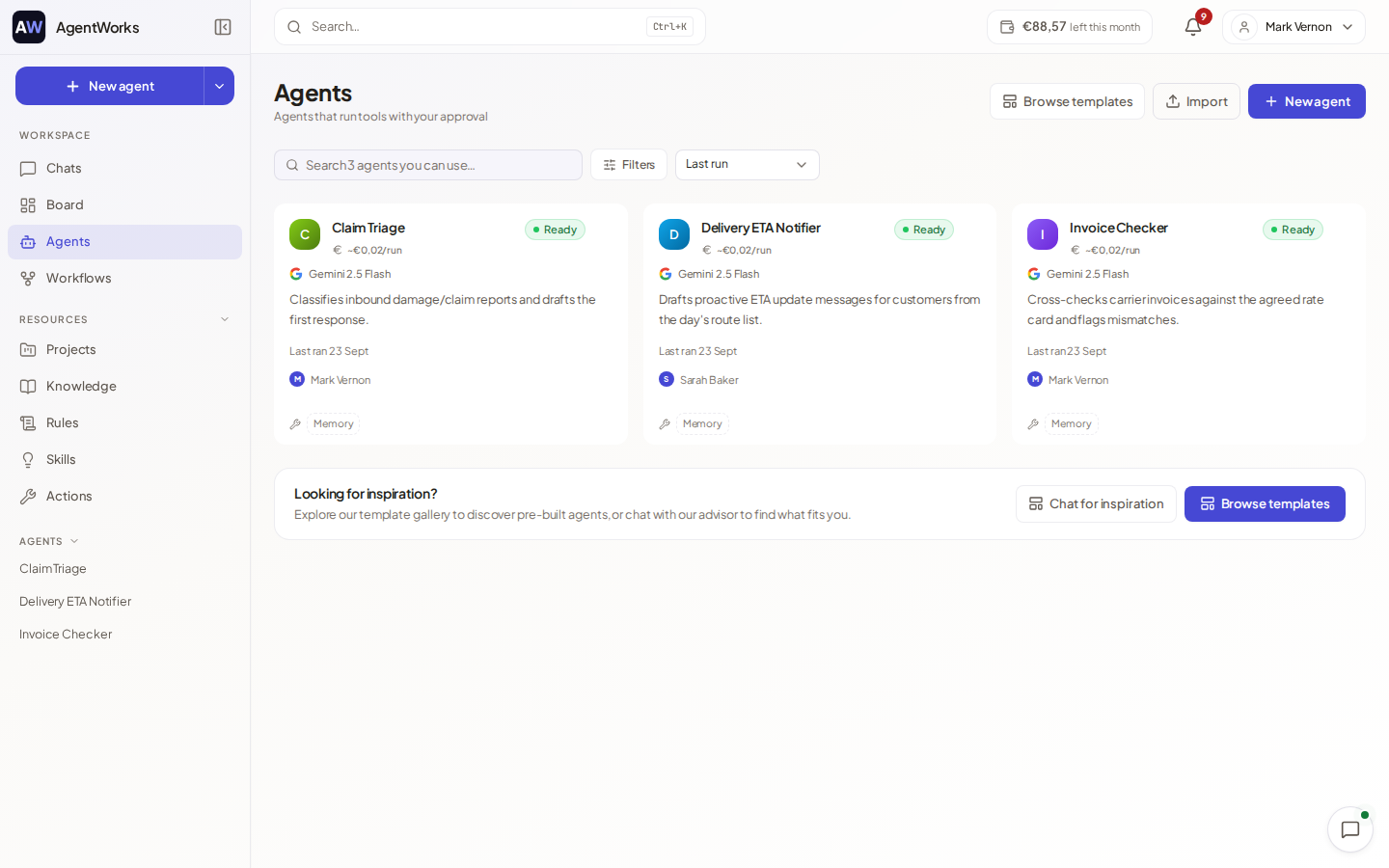
Open Agents in the left-hand menu to see your agents. You can search, filter by status, label or app, and pin or label agents. An agent's page has these tabs:
| Tab | What it shows |
|---|---|
| Results | The runs and conversations of this agent. |
| Memory | What the agent has remembered. |
| Schedule | Its schedules. |
| Analytics | Success rate, cost and usage. |
| Setup | Everything you configure. |
The header shows the model, the cost per run and the next run. Version history lets you see and restore earlier configurations. Run now starts a run.
Where agents come from
- You build one: Create an agent.
- You start from a ready-made template.
- An agency may maintain an agent for you. These are marked Managed by the agency and are read-only for you unless the agency allows editing.
Limits by plan
The number of agents you can have on Free is limited, and scheduled runs and sharing with a team need Business. The app shows when you reach a limit and what to do.