Multi-agent orchestration
Chain agents into automated workflows
One agent researches. Another writes. A third publishes. All automated.
- €5 welcome credit
- EU AI Act & GDPR by design
- No credit card
Example pipeline flow
Four specialists, one continuous run
- 01Research Agent
- 02Writer Agent
- 03Editor Agent
- 04Publisher Agent
Compose
Visual pipeline builder
- Sequence or branch agents on a clear canvas
- Name each step and set its inputs before it runs
- Shared context between agents — earlier outputs become structured inputs, no copy-paste
- Context stays versioned so teams can reproduce results
Arrange agents in sequence or branches with a clear canvas. Name each step, set inputs, and preview how work flows from trigger to completion.
Observe
Step-by-step monitoring
- Live status chips: running, finished, or stalled
- Timestamps on every agent handoff
- Per-step token tracking attributes spend to each step and model choice
- See which stages dominate cost before optimizing
See which step is running, what finished, and where a run stalled. Timestamps and status chips make handoffs between agents easy to audit.
Run
Error handling and retries
- Transient failures backoff and retry within set limits
- Real failures surface a clear error to fix upstream data or prompts
- Every step inherits the same EU AI Act controls
- Per-step risk classification, an optional PII-detection layer at the gateway, and a complete audit log
Transient failures backoff and retry with limits. When a step truly fails, the run surfaces the error clearly so you can fix upstream data or prompts.
Four agents. One run. Zero copy-paste.
Built-in controls
Automation you can answer for
Per-step token transparency
Every scheduled run debits the workspace wallet, with spend attributed to each step and model choice.
EU AI Act controls on every step
Each step inherits per-step risk classification, an optional PII-detection layer at the gateway, and human-in-the-loop approval where required.
A complete audit log
Every model call in the pipeline is recorded in one unified audit trail alongside chats and tasks.
Product screens
See the builder and a live run
Compose the steps on the left, then watch the same pipeline execute step by step on the right.
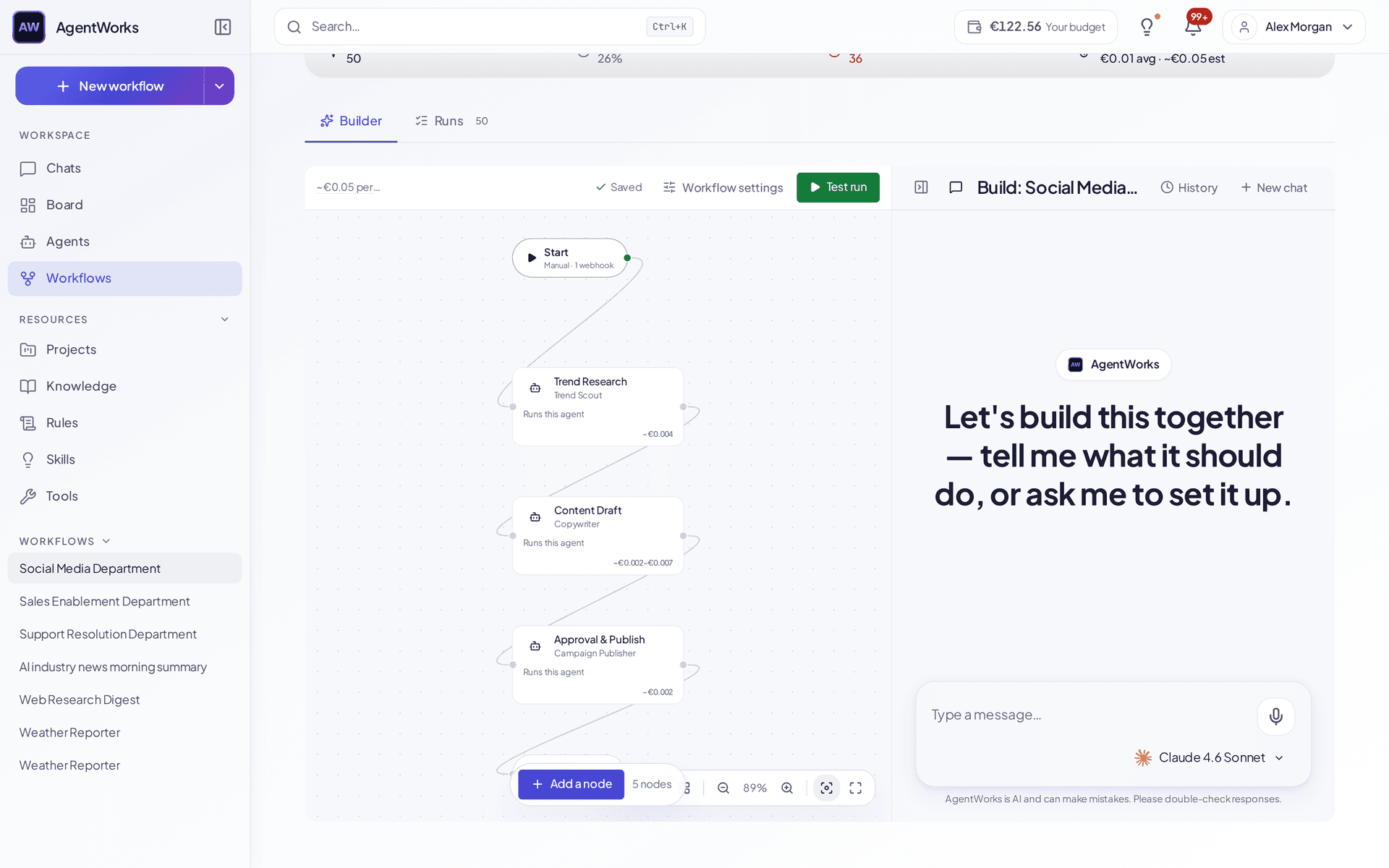
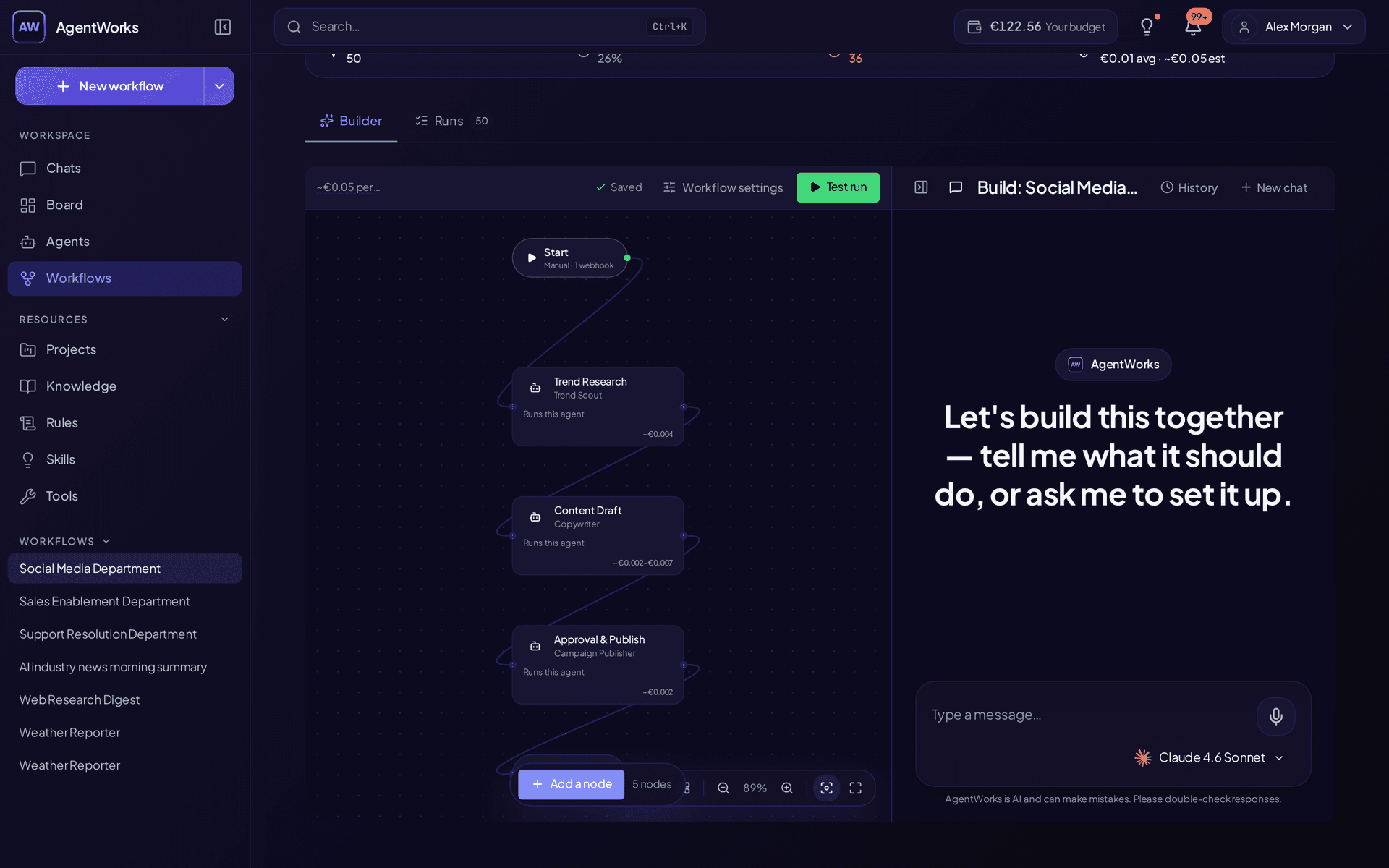
Pipeline run monitoring - per-step status and timing
1440 × 900pxFAQ
Frequently asked questions
- What is multi-agent orchestration?
- Multi-agent orchestration chains specialized AI agents into an end-to-end workflow — for example research → draft → review → publish. Each agent has its own role, model, and tools, and the next agent receives the previous agent's output. AgentWorks runs these as named pipelines you can trigger manually or on a schedule.
- How do AgentWorks multi-agent pipelines work?
- You compose a pipeline by adding agent steps in order. Each step picks its own LLM (GPT, Claude, Gemini, Mistral), its own knowledge base, and its own tools. Outputs flow into the next step. Pipelines run inside the same workspace as chats and tasks, so the result stream and audit log are unified.
- Can I schedule multi-agent workflows?
- Yes — on Business and Enterprise. Schedule pipelines to run daily, weekly, monthly, or at a custom time. Each scheduled run debits the workspace wallet with full per-step token transparency.
- What's the difference between an AI agent and a multi-agent pipeline?
- A single AI agent is one model + one set of tools doing one task (e.g. "draft a sales email"). A multi-agent pipeline is multiple agents stitched into a single workflow, where each step refines or extends the previous one — closer to how a human team operates.
- Are multi-agent pipelines EU AI Act compliant?
- AgentWorks is EU AI Act-ready, not blanket "compliant" — the risk class depends on your use case. Every step in the pipeline inherits the same EU AI Act controls: per-step risk classification, an optional PII-detection layer at the gateway, a complete audit log of every model call, and human-in-the-loop approval where required.
Explore More Features
See how other platform capabilities work together.
Chat
One thread for every model, agent and tool you run
AI Agents
Start from 50+ templates, or build your own without code
Knowledge & RAG
Ground answers in your own documents, with citations
AI Tools
What agents can actually do — and the approval before they do it
Compliance
EU AI Act and GDPR compliance dashboard
Cost control
Live cost per run, budgets and caps that hold
Last updated: March 2026
Start free — €5 credit included, no credit card
Ship your first multi-agent pipeline today
Compose research, drafting, review, and publishing into one automated run — with per-step monitoring and an EU AI Act-ready audit trail.