
Orchestration hub
Chat: your multi-LLM control room
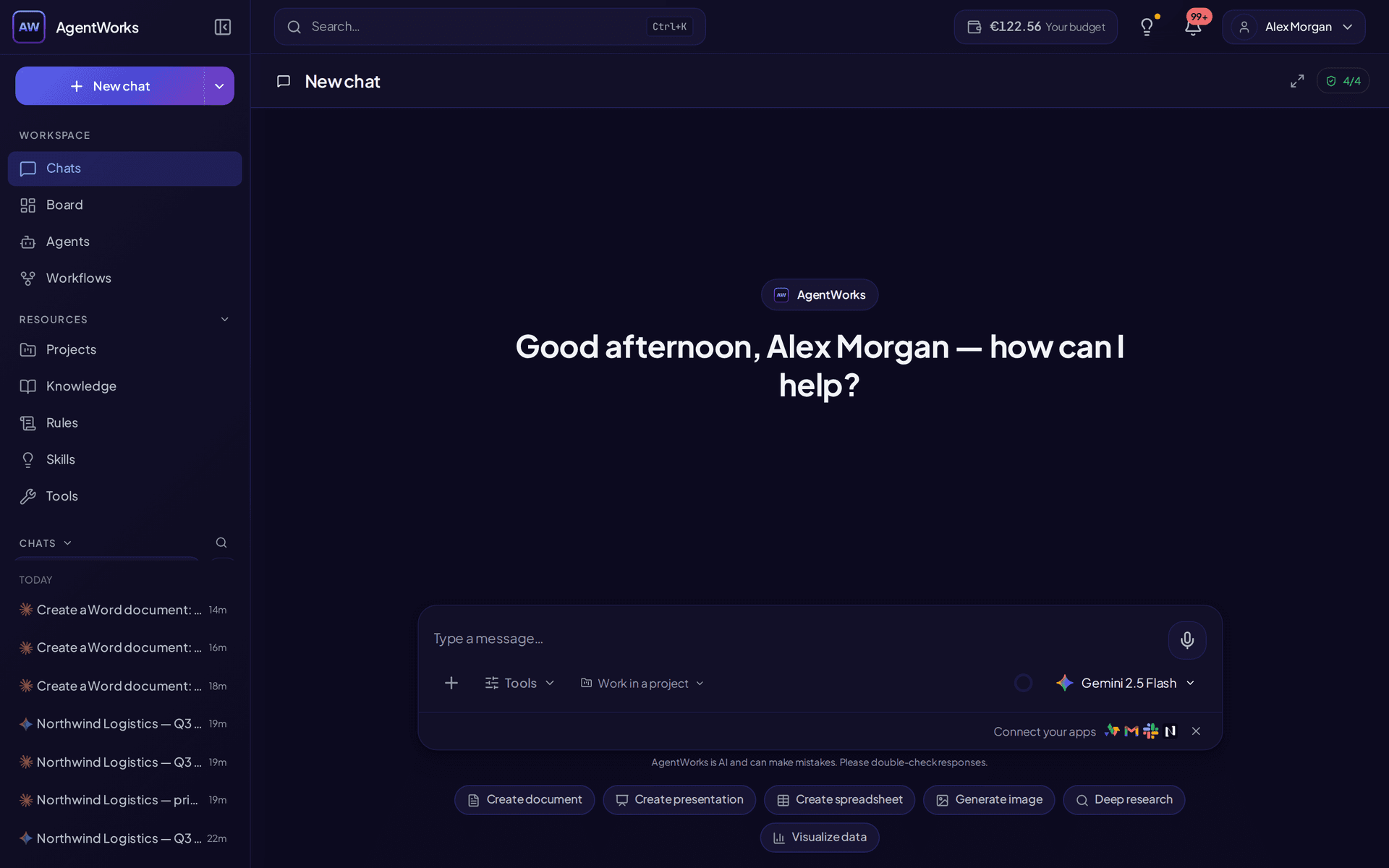
Run models, agents, AI workflows, knowledge (RAG), rules, skills, tools, and connections from one thread — with the running cost on screen, and an optional PII-detection layer you can switch on to mask personal data before it reaches an external model.
- €5 welcome credit
- EU AI Act & GDPR by design
- No credit card
Interactive preview
How the chat workspace feels
Sample inbox, thread, and composer with @ and / — the same interaction patterns as Chat in the product (static demo, no account required).
What you can do
One conversation, the whole operation
Instead of splitting work across separate tools for prompting, agent execution, and media generation, run the full workflow in one conversation context with traceable outputs.
Multi-LLM chat
Choose and switch models in the same conversation
- Switch between Claude, GPT, Gemini and Mistral mid-conversation.
- / for actions, # for context, @ to share — one composer for everything.
- Set AUTO and a cheap classifier picks a capable model per conversation.
- Your balance ticks down per message, so you always see what you spend.
The familiar chat experience of ChatGPT or Gemini — but you decide which model runs the next turn, without losing thread context. Enable extended thinking per model, and use vision where supported.
Documents in chat
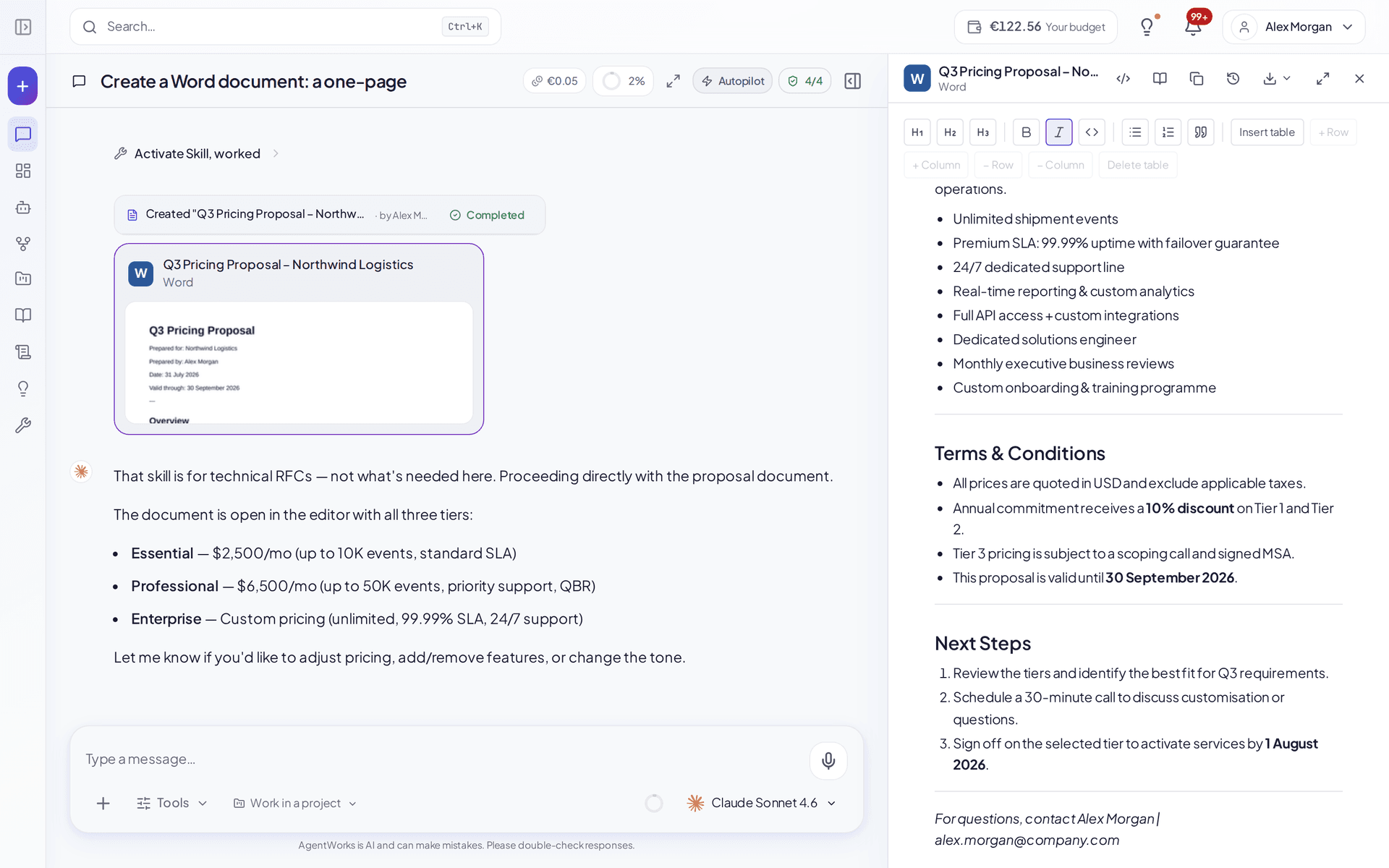
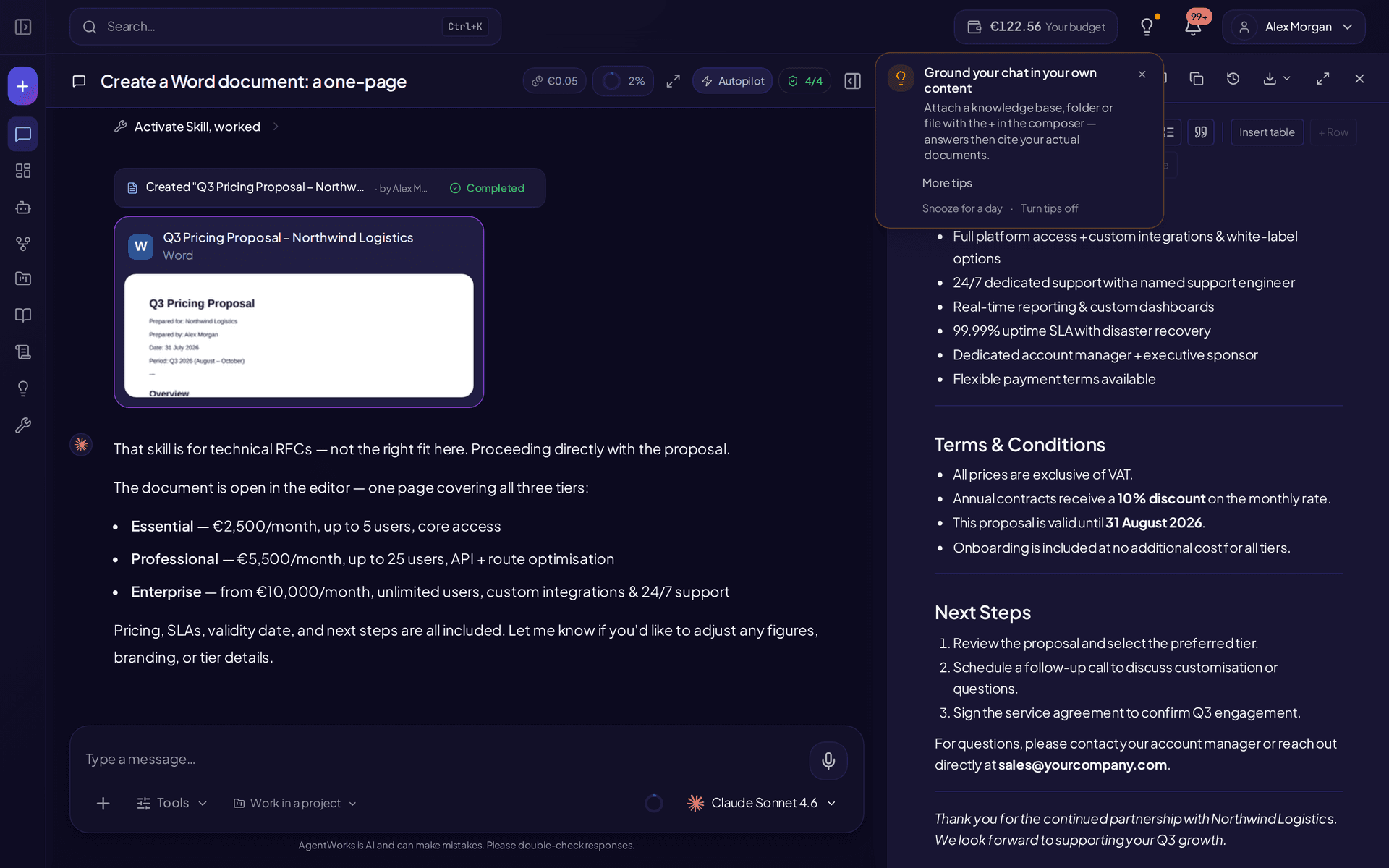
Create Word, PowerPoint, Excel and PDF — right in the chat
- Generate documents, spreadsheets and slide decks from a prompt.
- Edit in a side-by-side canvas; every AI revision is kept as a version you can go back to.
- Export to .docx, .pptx, .xlsx or PDF, and convert existing Office files to PDF.
- Attach files from Google Drive or OneDrive; agents can save results back there too.
Ask for a document, spreadsheet or presentation and it appears immediately in a live canvas next to the conversation — no clarifying questions first. Keep editing it in the chat, then export it in the format your colleagues expect.
Tools in chat
Web search, images, deep research and your own tools
- Web search, image generation, and multi-source Deep Research with citations.
- Draft, edit and send email; call your CRM and other connections in-thread.
- Attach files from Google Drive, upload documents, or dictate with voice.
Call tools straight from the message box — search the web, generate and edit images, run a cited deep-research report, or trigger your own agents and connections. Voice input and attachments included.
Explore tools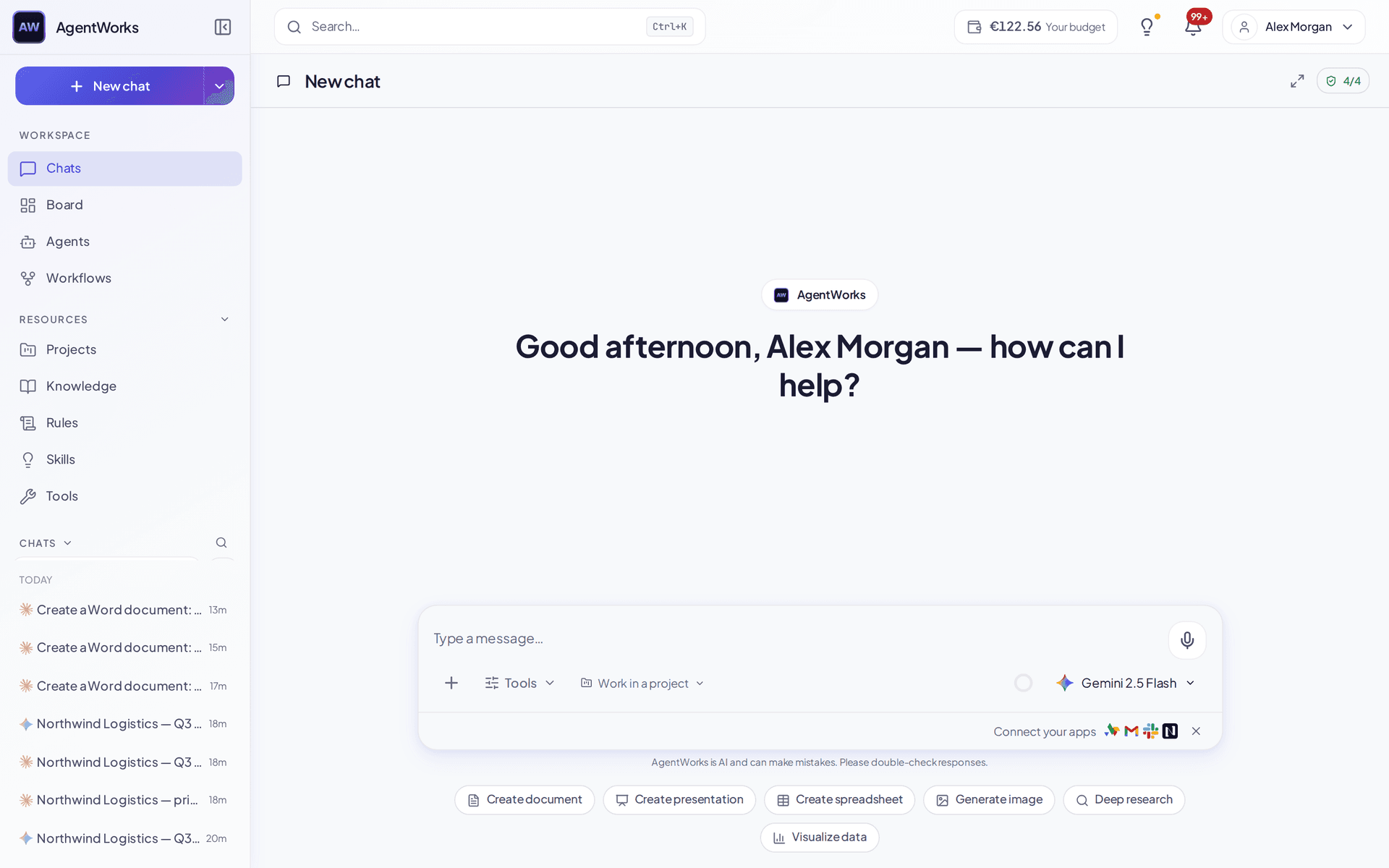
Agents & automation
Run agents, and schedule them from chat
- Invoke standard or custom agents with skills and rules attached.
- Approve, edit or deny every write before it happens — one click to allow a safe action for the rest of the chat.
- Irreversible actions — sending mail, deleting, paying — always ask again, every time.
- Schedule recurring runs (daily, weekly, monthly or custom) on paid plans.
Invoke standard or custom agents, shape them with skills and rules, and schedule recurring runs — all without leaving the conversation. State-changing actions ask for approval first, and you can edit what the agent proposed before you approve it.
Explore AI agentsKnowledge · RAG
Ground every answer in your own knowledge
- Answers cite the source passage, so anyone can check the original.
- Attach a knowledge base to a chat, an agent or a project — the same corpus, reused.
- Optional, opt-in PII detection before the model (risk reduction, not a guarantee).
Attach documents, web pages and connected Google Drive or SharePoint folders, and get answers that cite the passage they came from — with an optional PII-detection layer you can switch on to mask personal data before it reaches a model.
See knowledge & RAGEfficiency
Efficiency without surprises
Watch spend climb as the model streams. Agents can carry a fixed or variable price per run, and everything settles against one balance you top up when you choose to.
No seat you pay for twice and no credit bundle to decode: you see the cost of the turn you just ran, and admins set a monthly ceiling per person or per team so a bad month can't surprise you.
- Long conversations stay cheap: the reusable part of the prompt is frozen per chat, so providers can cache it instead of re-charging it every turn.
- Set the model to AUTO and a cheap classifier picks a capable model for the conversation — you escalate only when you need to.
- When a thread gets long, older turns are summarised automatically rather than dragged along in full.
- Spend is visible per turn, per run and per model, and admins can cap it per user or per team.
Compliance as a feature
Built-in guardrails while you work
Sensitive operations do not require separate compliance tooling. Chat keeps protections in the same UX where teams already operate.
- Optional, opt-in PII detection that masks personal data before a prompt leaves for an external model.
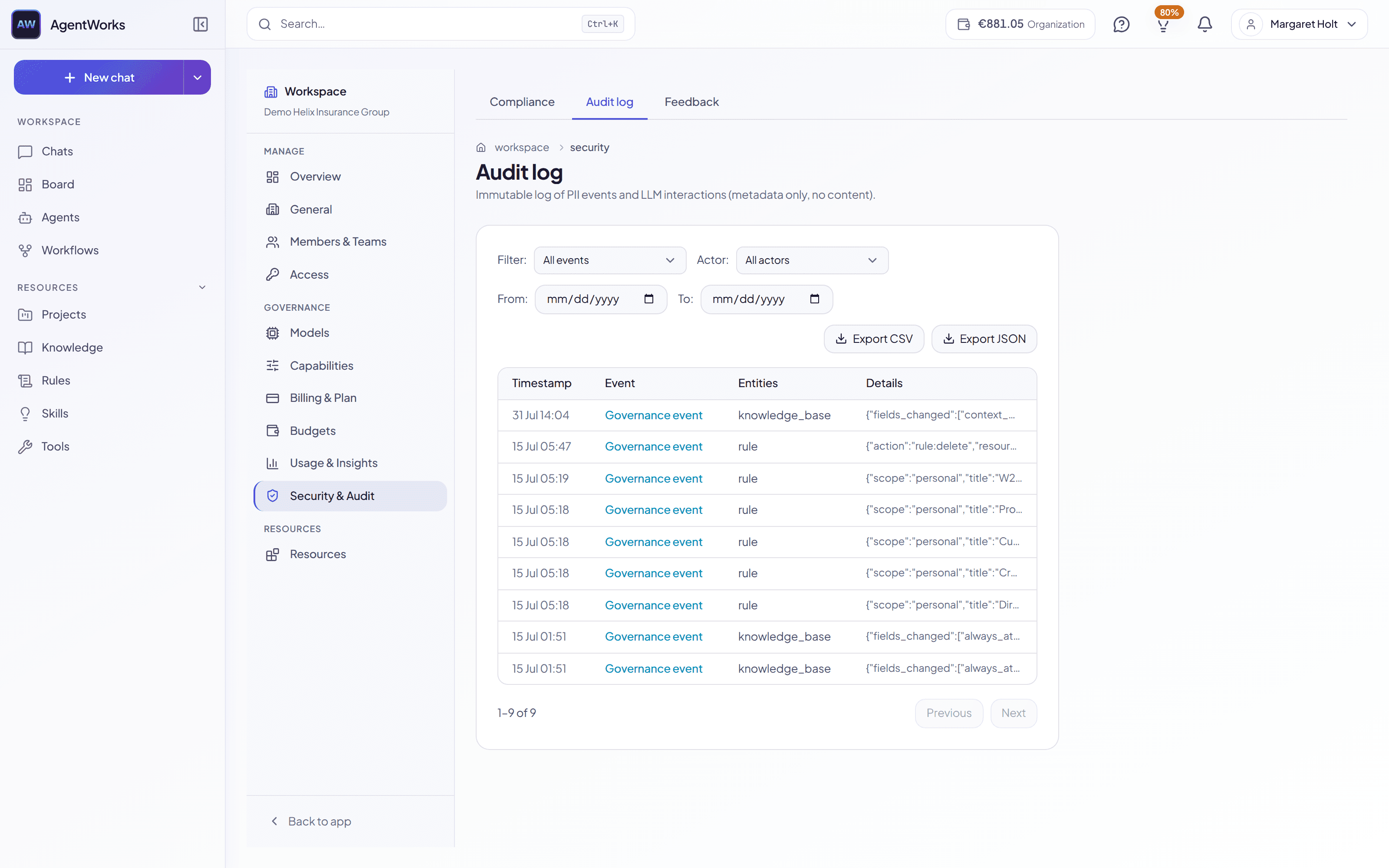
- Every state-changing action is written to an append-only audit trail — who asked, what ran, what came back.
- A per-agent EU AI Act risk classification travels with the agent, so high-risk use is labelled, not assumed.
- One conversation timeline for reviews, approvals and handoffs — no separate compliance tool to open.
Start free — €5 credit included, no credit card
Run your whole AI operation in one thread
Models, agents, AI workflows, knowledge, and spend — unified in a single conversation with traceable outputs.